- Introduction
- What Is the Chuwi HeroBook Pro?
- Chuwi HeroBook Pro: Full Specifications
- Design and Build Quality
- Display: Better Than You’d Expect
- Performance: Honest Talk
- Storage and Expandability
- Battery Life: A Real Winner
- Connectivity: What’s There and What’s Missing
- Who Should Buy the Chuwi HeroBook Pro?
- Chuwi HeroBook Pro vs. The Competition
- Final Verdict
- Quick Pros and Cons
Introduction
Best Budget Laptop Under 20K: Chuwi HeroBook Pro Review. Finding a decent laptop under 20,000 PKR (or its equivalent in other currencies) feels almost impossible these days. Most cheap laptops either come with painfully slow processors, tiny storage, or displays that hurt your eyes after 30 minutes of use. But the Chuwi HeroBook Pro is trying to change that conversation—and honestly, it does a surprisingly good job.
Whether you’re a student looking for a reliable machine to handle assignments, a remote worker who needs something lightweight for emails and spreadsheets, or just someone who wants a second laptop without spending a fortune—this review is for you.
Let’s dive in.
What Is the Chuwi HeroBook Pro?
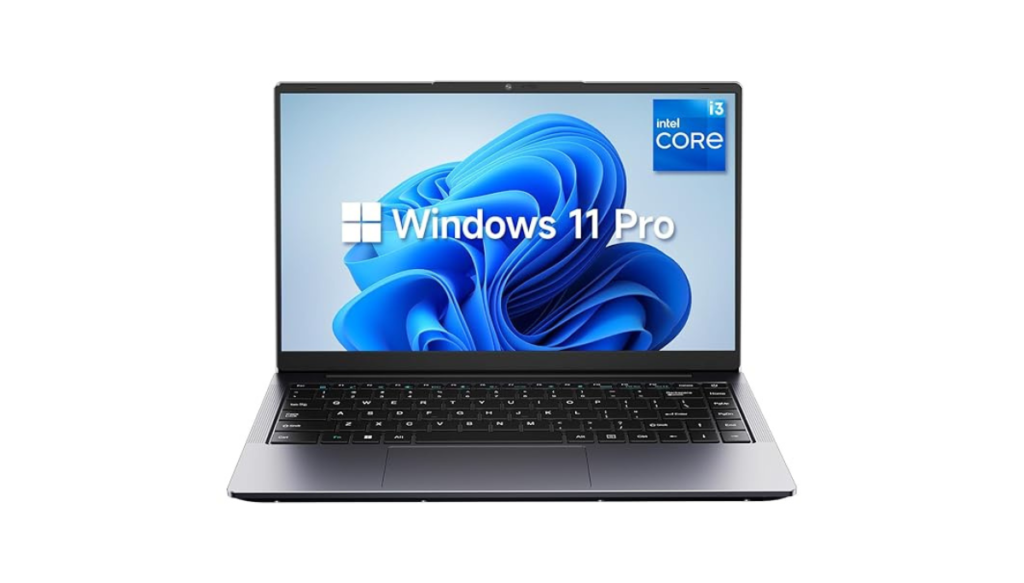
Chuwi is a Chinese tech brand that has been quietly making affordable laptops and tablets for the global market. Their HeroBook Pro is one of their most popular models, and it’s easy to see why. It packs a 14-inch Full HD display, a decent processor, solid storage, and a surprisingly slim design — all at a price point that most big brands wouldn’t even consider.
Chuwi HeroBook Pro: Full Specifications
| Feature | Details |
|---|---|
| Display | 14.1″ FHD IPS, 1920×1080 |
| Processor | Intel Celeron N4020 (up to 2.8 GHz) |
| RAM | 8GB LPDDR4 |
| Storage | 256GB SSD |
| Graphics | Intel UHD Graphics 600 |
| Operating System | Windows 11 Home |
| Battery | 38Wh (up to 9 hours claimed) |
| Weight | 1.39 kg |
| WiFi | 2.4G / 5G Dual-Band |
| Bluetooth | 4.2 |
| Ports | USB 3.0, USB 2.0, Mini-HDMI, 3.5 mm jack, MicroSD |
| Expandable Storage | Up to 2TB via M.2 SSD slot |
Design and Build Quality
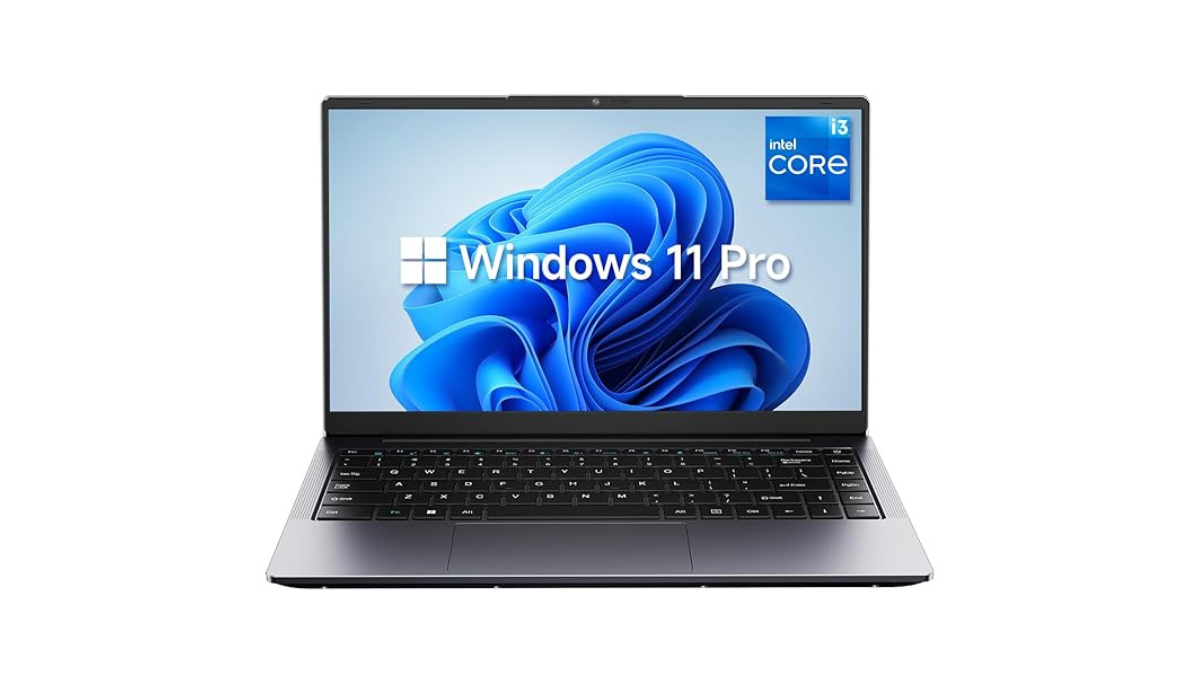
The first thing you’ll notice about the HeroBook Pro is its looks. It comes in space grey that, at first glance, reminds you of a MacBook—until you touch it and realise the build is entirely plastic. That said, for the price, the design is clean, professional, and not embarrassing to pull out in a coffee shop or classroom.
At just 1.39 kg, it’s light enough to carry in a backpack all day without feeling it. The slim profile at 21.3mm also means it doesn’t take up much space. These are real advantages if you’re constantly on the move.
The keyboard is comfortable for extended typing sessions, and the touchpad is responsive enough for daily use. One thing is worth noting: the display bezels are a bit thick compared to modern premium laptops—but that’s a trade-off you make at this price point.
Display: Better Than You’d Expect
This is where the HeroBook Pro genuinely surprises people. A 14.1-inch Full HD IPS display at this price is not something you take for granted. The 1920×1080 resolution means text is sharp, images look clear, and you can comfortably work with multiple windows side by side.
IPS technology also offers better viewing angles than the cheap TN panels you often find in entry-level laptops. Colours aren’t perfect for professional photo editing, but for everyday use—browsing, watching videos, writing, and studying—the screen is more than adequate.
Performance: Honest Talk
Let’s be real here. The Intel Celeron N4020 is not a powerhouse processor. It’s built for efficiency, not speed. You’re not going to run heavy video editing software, play AAA games, or compile large coding projects on this machine.
What it is good at: web browsing, Microsoft Office, Google Docs, watching YouTube, attending Zoom calls, light multitasking, and general productivity work. For students and office workers, that covers 90% of daily needs.
The 8GB of RAM is a genuine strong point. Many budget laptops at this price ship with only 4GB, which makes Windows feel sluggish. With 8GB, things run noticeably smoother. Combine that with the 256GB SSD (which is much faster than old HDD drives), and the laptop boots up quickly and opens apps without frustrating delays.
Pro tip: Go into Display settings and turn off animations and transparency effects. Also, switch to “Best Performance” mode in battery settings. These two tweaks make the laptop feel significantly faster in day-to-day use.
Storage and Expandability
A 256GB SSD is a reasonable starting point, but what really makes the HeroBook Pro smart is the expandable storage options. The laptop includes:
- An M.2 SSD slot that supports up to 2TB — you can upgrade the internal storage down the line without buying a new machine
- A MicroSD card slot for extra portable storage
This future-proofing is something you rarely see in budget laptops, and it significantly extends the laptop’s useful life.
Battery Life: A Real Winner
One of the most impressive aspects of the HeroBook Pro is its battery. Chuwi claims up to 9 hours of usage, and real-world testing puts it closer to 7-8 hours with moderate use, which is still excellent for a budget machine. You can comfortably get through a full school or work day without hunting for a power outlet.
The charger itself is compact and lightweight, so carrying it as a backup isn’t a burden.
Connectivity: What’s There and What’s Missing
The port selection is functional but limited:
Available ports:
- 1x USB 3.0
- 1x USB 2.0
- 1x Mini-HDMI (you’ll need an adapter for regular HDMI)
- 3.5mm headphone jack
- MicroSD card reader
- DC charging port
What’s missing:
- No USB-C port — this is the biggest drawback
- No Thunderbolt
- No full-size HDMI
The lack of USB-C is a genuine inconvenience in 2025/2026, especially since many accessories and monitors now use USB-C. However, if you primarily use the laptop for basic work without many external devices, it won’t be a dealbreaker.
The dual-band WiFi (2.4G and 5G) support is a nice touch — the 5G band gives you faster, more stable internet when you’re close to your router.
Who Should Buy the Chuwi HeroBook Pro?
✅ Perfect for:
- Students who need a reliable laptop for assignments, research, and online classes
- Remote workers handling emails, spreadsheets, and video calls
- Seniors or first-time laptop users who want something simple and affordable
- Anyone who needs a lightweight travel or backup laptop
- People on a tight budget who still want Windows 11 and a good display
❌ Not ideal for:
- Gamers (even light gaming will be limited)
- Video editors or graphic designers
- Heavy multitaskers running 10+ browser tabs with apps simultaneously
- Users who need USB-C connectivity
Chuwi HeroBook Pro vs. The Competition
At the under-20K price point, your main alternatives are usually older refurbished laptops or other Chinese budget brands. The HeroBook Pro holds its own because of its 8GB RAM + 256GB SSD combination, which beats most competitors in this range that typically offer 4GB RAM and slower eMMC storage.
Compared to similarly priced options, the Full HD IPS screen also gives it a clear advantage in display quality.
Final Verdict
The Chuwi HeroBook Pro is not a perfect laptop — no budget machine is. The all-plastic build, missing USB-C port, and modest processor are real limitations. But for what it costs, this laptop offers genuine value that’s hard to find elsewhere.
You get a bright, sharp Full HD display, enough RAM to handle everyday tasks smoothly, fast SSD storage, solid battery life, and a design that doesn’t look out of place in professional settings. For students, office workers, and light users, it punches well above its price tag.
If you’re shopping for a budget laptop under 20K and your needs are practical rather than demanding, the Chuwi HeroBook Pro deserves a serious look.
Quick Pros and Cons
| ✅ Pros | ❌ Cons |
|---|---|
| Full HD IPS display | All-plastic body |
| 8GB RAM — rare at this price | No USB-C port |
| Fast 256GB SSD | Mini-HDMI (needs adapter) |
| Expandable up to 2TB | Basic processor |
| Good battery life (7-8 hrs) | Modest webcam quality |
| Lightweight at 1.39 kg | Not for gaming or heavy tasks |
| Dual-band WiFi support |