Introduction
Whether you’re learning to code, building web applications, working with databases, or developing software professionally, choosing the right laptop can make a significant difference in your productivity. The good news is that you don’t need to spend a fortune to get a reliable programming laptop.
In this guide, we’ve selected some of the best laptops for programming under $1000 (2026 Guide) that offer excellent performance, comfortable keyboards, long battery life, and enough power to handle popular development tools such as Visual Studio Code, IntelliJ IDEA, Android Studio, Docker, Git, and more.
What to Look for in a Programming Laptop
Before choosing a laptop, consider these important factors:
Processor Performance
A modern Intel Core i5/i7 or AMD Ryzen 5/7 processor provides enough power for coding, compiling, debugging, and multitasking.
RAM
For smooth development workflows, 16GB RAM is recommended. It allows you to run multiple applications, browser tabs, and virtual machines efficiently.
Storage
An SSD (Solid State Drive) significantly improves boot times and application performance. Aim for at least 512GB SSD storage.
Display Quality
A Full HD (1920×1080) display helps reduce eye strain during long coding sessions.
Keyboard Comfort
Programmers spend hours typing every day. A comfortable keyboard is essential for productivity.
Battery Life
Long battery life is especially useful for students, remote workers, and developers who work on the go.
1. Acer Aspire 5
Why Programmers Love It
The Acer Aspire 5 remains one of the best budget-friendly laptops for developers. It offers strong performance, upgradeable memory, and excellent value for money.
Key Features
- AMD Ryzen 7 Processor
- 16GB RAM
- 512GB SSD
- Full HD Display
- Backlit Keyboard
- Windows 11
Pros
- Excellent price-to-performance ratio
- Comfortable keyboard
- Fast SSD storage
- Good battery life
Cons
- Average speakers
- Display brightness could be better
Best For
Students, beginner programmers, and web developers.
2. Lenovo IdeaPad Slim 5
The Lenovo IdeaPad Slim 5 combines performance, portability, and reliability in an affordable package.
Key Features
- AMD Ryzen 7 Processor
- 16GB RAM
- 512GB SSD
- 14-inch Full HD Display
- Lightweight Design
Pros
- Premium build quality
- Excellent typing experience
- Strong multitasking performance
- Long battery life
Cons
- Limited gaming capabilities
Best For
Web developers, Python programmers, and software engineering students.
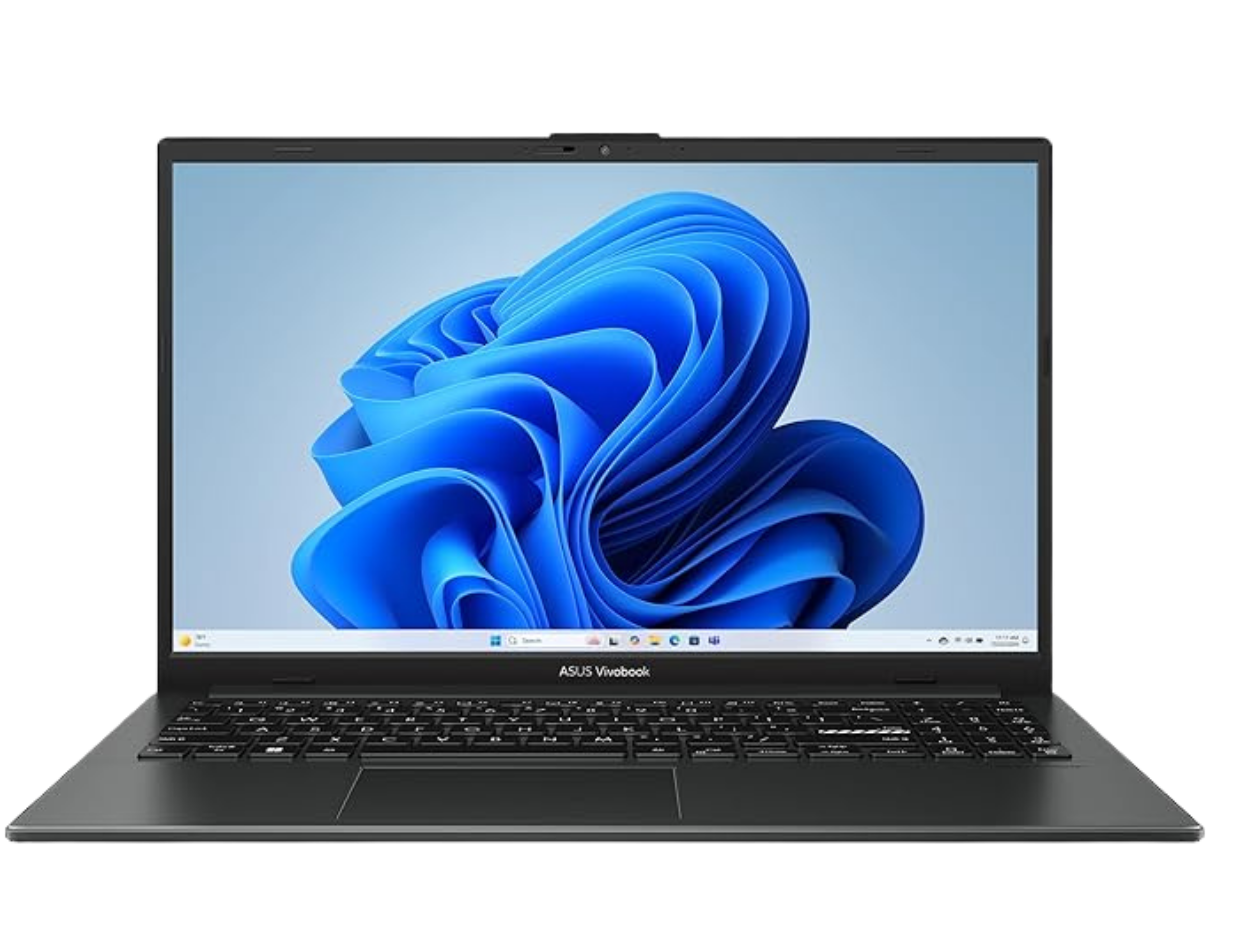
3. ASUS Vivobook 15
The ASUS Vivobook 15 delivers impressive specifications while staying comfortably below the $1000 budget.
Key Features
- Intel Core i7 Processor
- 16GB RAM
- 512GB SSD
- Full HD Display
- Fingerprint Reader
Pros
- Fast processing speed
- Modern design
- Lightweight and portable
- Excellent value
Cons
- Battery life is average
Best For
Java developers, coding bootcamp students, and remote workers.
4. HP Pavilion 15
HP Pavilion laptops have become popular among programmers due to their balance of performance and affordability.
Key Features
- AMD Ryzen 7 Processor
- 16GB RAM
- 512GB SSD
- Full HD IPS Display
Pros
- Strong multitasking capabilities
- Reliable performance
- Good display quality
- Solid build quality
Cons
- Fans can become noticeable under heavy workloads
Best For
Full-stack developers and software engineers.
5. Dell Inspiron 15
Dell’s Inspiron series continues to offer dependable performance for developers on a budget.
Key Features
- Intel Core i5 or i7 Processor
- 16GB RAM
- 512GB SSD
- Full HD Display
Pros
- Reliable performance
- Excellent keyboard
- Good customer support
- Durable construction
Cons
- Slightly heavier than competitors
Best For
Professional developers and business users.
Which Programming Laptop Should You Choose?
Your choice depends on your specific development needs:
| Use Case | Recommended Laptop |
|---|---|
| Web Development | Lenovo IdeaPad Slim 5 |
| Python Programming | Acer Aspire 5 |
| Java Development | ASUS Vivobook 15 |
| Software Engineering | HP Pavilion 15 |
| Professional Coding | Dell Inspiron 15 |
Frequently Asked Questions
Is 8GB RAM enough for programming?
While 8GB RAM can handle basic coding tasks, 16GB RAM is highly recommended for modern development environments, multitasking, and future-proofing.
Do programmers need a dedicated graphics card?
Most programming tasks do not require a dedicated GPU. However, game development, AI projects, and machine learning workloads may benefit from one.
Which operating system is best for programming?
Windows, macOS, and Linux all support modern development tools. Many developers prefer Windows 11 with WSL or Linux for flexibility.
How much storage do programmers need?
At least 512GB SSD storage is recommended. If you work with large datasets, virtual machines, or multiple projects, consider 1TB SSD storage.
Final Thoughts
Finding the best laptops for programming under $1000 (2026 Guide) is easier than ever. Today’s mid-range laptops provide enough power for coding, software development, web development, and even advanced programming tasks without exceeding your budget.
Among all the options listed above, the Lenovo IdeaPad Slim 5 and Acer Aspire 5 offer the best overall value for most programmers. They deliver excellent performance, comfortable keyboards, and reliable battery life while staying within an affordable price range.
Whether you’re a student learning your first programming language or a professional developer looking for a cost-effective upgrade, these laptops provide the performance and reliability needed to support your coding journey.
Meta Title: Best Laptops for Programming Under $1000 (2026 Guide)
Meta Description: Discover the best laptops for programming under $1000 in 2026. Compare top coding laptops with powerful processors, 16GB RAM, SSD storage, and excellent battery life for developers and students.