- What is the HP Chromebook 14 Laptop?
- Key specs and features
- Why the HP Chromebook 14 Laptop stands out for everyday users
- Who should buy the HP Chromebook 14 Laptop?
- Who may want something else?
- How the storage and ports improve real-world use
- ChromeOS advantages on the HP Chromebook 14 Laptop
- Common questions about the HP Chromebook 14 Laptop
- Things to check before buying
- Potential drawbacks to keep in mind
- Best reasons to choose the HP Chromebook 14 Laptop
- Final verdict
Introduction
The HP Chromebook 14 Laptop is a budget-friendly Chromebook aimed at people who want a simple, fast setup, useful port selection, and easy access to Google-based files and apps. If you are considering this model and want to know whether it fits everyday needs like web browsing, documents, file transfers, and basic work tasks, this guide covers the essentials.
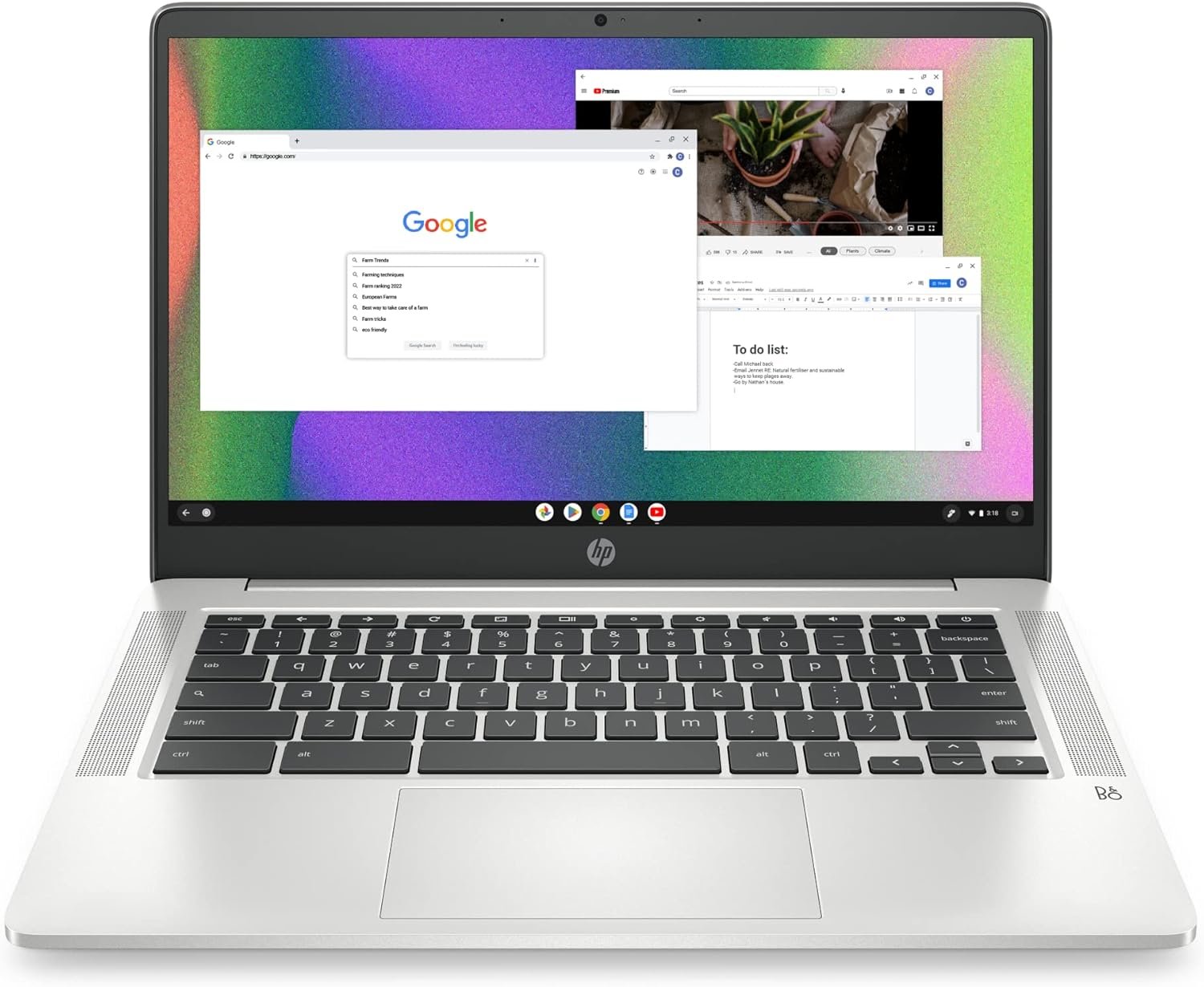
This configuration includes a 14-inch display, 8GB RAM, 128GB eMMC storage, Wi-Fi, Bluetooth, a headphone jack, SD card support, and USB connectivity. It is also built around ChromeOS, which makes setup straightforward for anyone already using a Google account.
What is the HP Chromebook 14 Laptop?
The HP Chromebook 14 Laptop is a ChromeOS laptop designed for users who want an uncomplicated computer for everyday use. Unlike a traditional Windows laptop or a MacBook, a Chromebook centers much of the experience around a Google account, cloud storage, and web-based apps.
That makes this type of laptop especially appealing if you:
- Use Gmail, Google Drive, Docs, or Sheets regularly
- Want a quick and simple setup process
- Need a laptop for school, light office work, or home use
- Prefer a more affordable option over a premium notebook
Key specs and features
Based on the listed configuration, the HP Chromebook 14 Laptop includes the following:
- Display: 14-inch screen
- Processor: Intel Celeron N4120
- Memory: 8GB RAM
- Storage: 128GB eMMC
- Wireless: Wi-Fi and Bluetooth
- Ports: Headphone jack, USB port, charging connection, and SD card slot
- Webcam: Built-in camera above the display
For many shoppers, the biggest selling points are the combination of 8GB RAM, 128GB storage, and a good range of ports. Those three features can make a budget Chromebook more practical for daily use.
Why the HP Chromebook 14 Laptop stands out for everyday users
1. Fast and easy setup
One of the strongest advantages of the HP Chromebook 14 Laptop is how quickly it can be ready to use. ChromeOS is known for a simple setup process, and this model is especially convenient for users who already store files, emails, and documents inside their Google account.
Once signed in, it is easy to access:
- Google Drive files
- Saved Chrome bookmarks
- Gmail
- Google Docs and Sheets
- Other synced Google services
This reduces the need for long manual setup steps.
2. Useful port selection
A common frustration with some modern laptops is limited port availability. The HP Chromebook 14 Laptop is appealing because it includes multiple practical connections rather than forcing users to rely on adapters for basic tasks.
That matters if you want to:
- Plug in wired headphones
- Use a flash drive
- Insert an SD card
- Connect accessories through USB
- Move files between devices more easily
For users coming from laptops with fewer built-in ports, this can be a major convenience.
3. Better-than-basic memory and storage for a Chromebook
Many shoppers looking at Chromebooks are concerned about limited storage. This HP Chromebook 14 Laptop configuration includes 128GB eMMC storage, which is helpful if you want more room for downloaded files, documents, and offline content.
The 8GB RAM is also important. For everyday Chromebook use, it can help with smoother multitasking when working across multiple browser tabs and web apps.
4. Affordable positioning
Another reason the HP Chromebook 14 Laptop gets attention is its value. Buyers looking for a low-cost computer often want a balance of price, storage, and convenience. A Chromebook with 8GB RAM, 128GB eMMC, and several ports can feel more practical than entry-level models that cut too many corners.
Who should buy the HP Chromebook 14 Laptop?
The HP Chromebook 14 Laptop is a good fit for users who prioritize simplicity and affordability over high-end performance.
It may be a strong choice for:
- Students who mainly use web apps, Google Classroom, and online research
- Remote workers handling email, documents, browsing, and light admin tasks
- Home users who want a straightforward laptop for everyday computing
- Google ecosystem users who already rely on Drive and Chrome sync
- People needing ports for flash drives, headphones, and SD cards
Who may want something else?
The HP Chromebook 14 Laptop may not be ideal for everyone. A Chromebook is best when your workflow already fits ChromeOS.
You may want to consider another type of laptop if you need:
- Specialized desktop software that requires Windows or macOS
- Heavy-duty video editing or advanced creative applications
- Complex offline workflows that depend on traditional installed programs
Before buying, it helps to ask one simple question: Do most of my tasks happen in a browser, in Google apps, or through lightweight programs? If the answer is yes, the HP Chromebook 14 Laptop makes more sense.
How the storage and ports improve real-world use
On paper, storage and ports can look like minor details. In daily use, they can make a laptop much more practical.
128GB eMMC storage
This amount of storage gives users more flexibility than very small Chromebook configurations. It can help with:
- Saving downloaded files locally
- Keeping school or work documents available offline
- Storing photos or presentations
- Installing supported apps without running out of space too quickly
USB and SD card support
Having USB and SD card access is useful for file transfer. For example, you can:
- Move documents to a flash drive
- Share files with another computer
- Import files from an SD card
- Use accessories without needing extra dongles
That can be especially important for people who move between home, office, and school settings.
ChromeOS advantages on the HP Chromebook 14 Laptop
The HP Chromebook 14 Laptop is built for users who like a streamlined computing experience. ChromeOS is one of the biggest reasons people choose this category.
Main benefits include:
- Quick sign-in: Start with your Google account
- Easy sync: Files and settings are easier to access if you already use Google services
- Simple navigation: ChromeOS is usually easier to learn than more complex desktop systems
- Web-first workflow: Great for browsing, cloud documents, and online services
If your digital life is already centered on Google Drive, this laptop can feel especially convenient.
Common questions about the HP Chromebook 14 Laptop
Is the HP Chromebook 14 Laptop good for school?
Yes, it looks well-suited for schoolwork that happens online or through Google tools. The 14-inch screen, 8GB RAM, and Google account integration make it practical for writing assignments, research, email, and cloud-based coursework.
Can the HP Chromebook 14 Laptop handle basic work tasks?
Yes, for light office and productivity use. It should be suitable for web browsing, email, online meetings that use the built-in camera, document editing, and file organization, especially if those tasks are browser-based.
Does the HP Chromebook 14 Laptop have enough storage?
For many Chromebook users, 128GB eMMC is a useful amount of storage. It offers more flexibility than lower-capacity models and works well for local documents, downloads, and offline files alongside cloud storage.
Does it have the ports people actually need?
Yes. One of the practical strengths of this HP Chromebook 14 Laptop is that it includes several useful physical connections, including USB, a headphone jack, charging support, and an SD card slot.
Is the HP Chromebook 14 Laptop hard to set up?
No. For users familiar with Google accounts, setup is one of the easiest parts of owning a Chromebook. Signing in gives access to synced files and services quickly.
Things to check before buying
Even if the HP Chromebook 14 Laptop sounds like a good fit, it is smart to review a few basics before ordering:
- Your software needs: Make sure your required apps work on ChromeOS
- Your workflow: Confirm that web-based tools cover most of what you do
- Your file habits: If you use flash drives or SD cards often, this model is more appealing
- Your expectations: This is best viewed as an affordable everyday laptop, not a high-performance workstation
Potential drawbacks to keep in mind
No laptop is perfect for every buyer. Here are a few possible limitations to consider with the HP Chromebook 14 Laptop:
- ChromeOS may not support every traditional desktop program
- Some users may prefer a Windows or Mac environment for specialized work
- Cloud-focused computing works best when your apps and files already fit that style
These are not necessarily dealbreakers, but they are important if you are choosing between a Chromebook and a conventional laptop.
Best reasons to choose the HP Chromebook 14 Laptop
- Simple setup with a Google account
- Useful 14-inch size for everyday work and browsing
- 8GB RAM for smoother multitasking than lower-memory models
- 128GB eMMC storage for more local space
- Practical port selection, including USB and SD card support
- Affordable value for everyday computing
Final verdict
The HP Chromebook 14 Laptop is a practical choice for anyone who wants a simple, affordable laptop with a solid mix of storage, memory, and connectivity. Its biggest strengths are the easy ChromeOS setup, access to Google-based files, and a more useful set of ports than some competing laptops offer.
If your daily tasks revolve around browsing, online work, documents, email, and cloud storage, the HP Chromebook 14 Laptop is easy to recommend as a budget-friendly everyday device. If you need advanced desktop software or heavy creative performance, you may want a different category of laptop.
For the right user, this model delivers what matters most: convenience, enough storage for typical use, and the ports needed to make day-to-day computing less frustrating.