- Introduction
- Core Specifications and Configuration Deep Dive
- AMD Ryzen 350 Performance Unveiled
- The RAM Dilemma: Stuck at 16GB
- Choosing Your Display: Budget vs. OLED Option
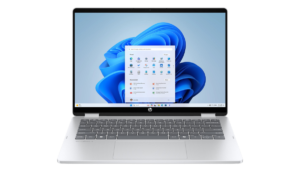
- Design, Build Quality, and Versatile Form Factor
- 2-in-1 Hinge Robustness and Thin Profile
- Internal Layout: Cooling Potential vs. Upgrade Limitations
- Overbuilt Cooling for an Efficient APU
- The SSD Slot Conundrum: 2242 Limitation
- Soldered RAM and Battery Capacity Justification
- Performance Metrics and Real-World Application
- Multi-Core Benchmarking Across Power Profiles
- Professional Workloads: Video Editing and Coding Speed
- Integrated Graphics and Gaming Caveats
- Conclusion
Introduction
Can you get a laptop that handles 4K video editing and gaming without spending a fortune? The Best Lenovo IdeaPad 5 Pro AMD – Great Value PREMIUM Laptop tries to do exactly that. Most budget laptops feel like cheap plastic and lag after two Chrome tabs. This one is different. It aims for a sweet spot where the price stays low, but the power stays high.
We are currently seeing a “RAM apocalypse” where memory prices are spiking. This makes finding a decent machine harder. I have used many IdeaPads before, but this is my first time testing the 2-in-1 version with this specific AMD chip. It is a versatile tool that flips into a tablet, but does it make too many cuts to keep the price down?
Core Specifications and Configuration Deep Dive
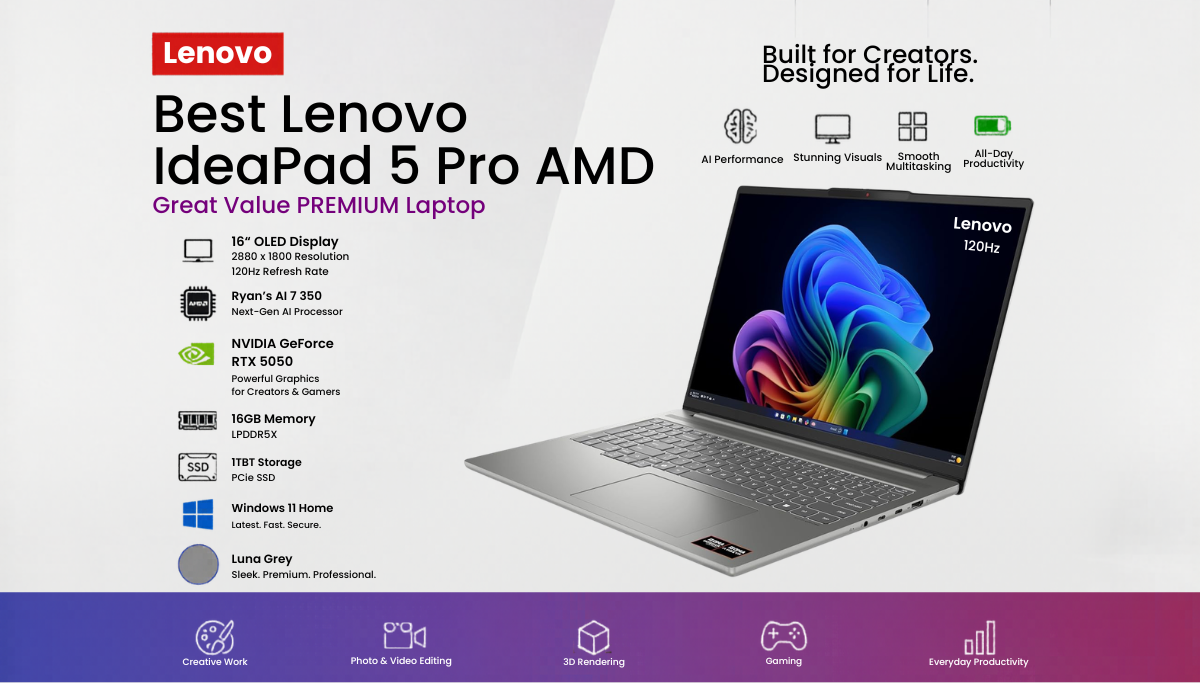
The model I tested focuses on value over luxury. It is a 16-inch machine that balances size and portability. Lenovo gives you a few ways to build this laptop, but the CPU and screen choice change the experience completely.
AMD Ryzen 350 Performance Unveiled
This laptop uses the AMD Ryzen 350. It is an 8-core processor that punches way above its weight. If you can, get the 350 over the 340. The 340 only has 6 cores and a weaker iGPU. Those extra two cores make a huge difference when you are doing heavy work. It is efficient and fast, making it great for students or freelance pros.
The RAM Dilemma: Stuck at 16GB
The biggest limit here is the 16GB of RAM. It is soldered to the board, so you cannot add more later. There is no 32GB option for this specific budget build. Because RAM costs are so high right now, Lenovo locked this in to keep the price around $600. For basic office work, it is plenty. For high-end gaming, it is a bottleneck.
Choosing Your Display: Budget vs. OLED Option
I have the base 1200p touchscreen. Lenovo IdeaPad 5 Pro AMD is bright enough for indoors, but the colors are muted. It uses a 45% NTSC color gamut, which means reds and greens look crushed. If you do professional photo work, this screen will not work for you.
However, there is an optional 1800p OLED screen. That version is stunning. It has:
- 1000 nit HDR brightness
- 500 nit SDR brightness
- 100% DCI-P3 color accuracy
- Deep OLED blacks
You have an extra few dollars, the OLED is the best upgrade you can make.
Design, Build Quality, and Versatile Form Factor
The IdeaPad 5 2-in-1 feels solid. It does not have the premium chassis of the Pro line, but it doesn’t feel like a toy. It uses a mix of plastic and metal that keeps the weight at about 4.4 lbs.
2-in-1 Hinge Robustness and Thin Profile
The hinges are the star here. They feel firm and tight. There is no wobble when you type or touch the screen. You can flip it into tablet mode or a “tent” for watching movies. It stays thin enough to slide into a backpack without much effort.
Exterior Aesthetics and Port Selection Trade-offs
The lid is metal with a blue paint finish. It looks great, but it picks up fingerprints. A quick wipe fixes it, or you can get the silver version to hide smudges.
The ports vary by CPU. Since this is the AMD model, you don’t get Thunderbolt. You get:
- Standard USB-C charging
- HDMI port
- Headphone jack
- Two USB-A ports
- A Micro SD card slot
The Intel version offers dual Thunderbolt 4 ports, which is a big plus for dock users.
Keyboard and Trackpad Experience
The keyboard is a 10 out of 10. Lenovo IdeaPad 5 Pro has a rubberized texture and great travel. It feels tactile and comfortable for long essays. It also has two stages of backlighting to help you work at night. The trackpad is not glass, but it is smooth. The clicks are sharp and consistent across the whole surface.
Internal Layout: Cooling Potential vs. Upgrade Limitations
Popping the bottom cover off reveals a strange internal design. Lenovo used a lot of plastic with a honeycomb structure to keep it rigid.
Overbuilt Cooling for an Efficient APU
The cooling is actually better than expected. It has dual heat pipes and a massive fan. Because the AMD chip is so efficient, the laptop stays cool. Even under a heavy load, the keyboard deck stays near skin temperature. You won’t find any hot spots on your lap.
The SSD Slot Conundrum: 2242 Limitation
There is one big mistake inside. Lenovo used an L-shaped battery. This blocks the space for a standard 2280 SSD. You are forced to use a smaller 2242 drive. You can still find 2TB drives in this size, but your options are limited. It feels like a lazy cost-saving move.
Soldered RAM and Battery Capacity Justification
As mentioned, the RAM is soldered. There is no room to add more. The battery is 57Wh. There is physical space for a bigger battery, but Lenovo skipped it to keep the price low. For the power draw of this chip, 57Wh is acceptable.
Performance Metrics and Real-World Application
I ran this through several tests to see how it handles real stress. I tested it in Performance, Balanced, and Silent modes.
Multi-Core Benchmarking Across Power Profiles
In Performance Mode, it scored just under 16,000 in Cinebench. That is a lot of power for a budget laptop. In Balanced Mode, the score only drops a little. Even in Silent Mode at 20W, it still hits around 14,000. The AMD chip is incredibly efficient.
Professional Workloads: Video Editing and Coding Speed
This laptop rips through CPU-heavy tasks. I imported a 10-minute 4K 60fps video file (4.2GB). I could scrub through the timeline almost instantly. Coding and compiling are also fast. The iGPU helps with exports, making it a viable machine for a student editor or developer.
Integrated Graphics and Gaming Caveats
The AMD 860M iGPU is fast, but the 16GB of system RAM is the limit. The GPU steals some of that RAM for VRAM.
- Older games (pre-2020): Run amazingly well at max settings.
- Indie games: Fly through with no issues.
- Modern AAA games (2024/2025): You must use low settings.
If you want to game more, try dual-booting Linux or using Bazite. Linux uses less
Conclusion
The Lenovo IdeaPad 5 2-in-1 proves that you do not need an expensive laptop to enjoy strong performance, smooth multitasking, and versatile functionality. With the efficient AMD Ryzen 350 processor, excellent keyboard, solid cooling system, and flexible 2-in-1 design, this laptop delivers impressive value for students, creators, and everyday users.
The optional OLED display is highly recommended for anyone who values color accuracy and premium visuals. Combined with its durable build quality and reliable battery life, the IdeaPad 5 2-in-1 stands out as one of the best affordable productivity laptops in 2025.
If you want a laptop that balances performance, portability, and versatility without overspending, the Lenovo IdeaPad 5 2-in-1 is an excellent choice.