- What Makes an Ideal Video Editing Laptop?
- Benchmark Results: Premiere Pro and DaVinci Resolve
- The Best 18-Inch Powerhouse Laptops
- The Best budget Laptops for Video Editing in 2026: Lenovo Legion 9i
- Lenovo Legion 9i Gen 10 18″ Gaming Laptop (2026 Model) Intel Core Ultra 9 275HX 24C, NVIDIA GeForce RTX 5090 24GB, 64GB RAM, 4TB (2TB+2TB) NVMe SSD, 18.0″ 4K 520 nits 240Hz, Windows 11 Pro
- Alienware Area 51 18
- Alienware 18 Area-51 Gaming Laptop, NVIDIA RTX 5080 16GB GDDR7, Intel Ultra 9 275HX(24-Core, Up to 5.4GHz), 18″ 2.5K QHD+ 300Hz, 64 GB DDR5, 2 TB SSD, Backlit Keyboard, Windows 11 Pro, w/Accessories
- Asus ROG Strix Scar 18
- ASUS ROG Strix Scar 18 (2025) Gaming Laptop, 18” ROG Nebula HDR 16:10 2.5K 240Hz/3ms, NVIDIA GeForce RTX 5070 Ti, Intel Core Ultra 9 275HX, 32GB DDR5, 1TB PCIe SSD, Wi-Fi 7, Win 11 Pro, G835LR-XS96
- Top 16-Inch Laptops for Portability and Power
- MacBook Pro 16 (M4 Max)
- Asus ROG Strix Scar 16
- ASUS ROG Strix SCAR 16 (2025) Gaming Laptop, 16” ROG Nebula HDR 16:10 2.5K 240Hz/3ms, NVIDIA GeForce RTX 5080, Intel Core Ultra 9 275HX, 32GB DDR5, 2TB PCIe Gen 4 SSD, Wi-Fi 7, Win 11 Pro, G635LW-XS97
- Asus ProArt P16 and Zephyrus G16
- ASUS ProArt P16 Creator Laptop 16.0″ 3K 120Hz OLED Lumina Touch Display (AMD Ryzen AI 9 HX 370, 32GB LPDDR5X, 2TB SSD, GeForce RTX 5070, Backlit KB, WiFi 7, Win 11 Pro) w/Dockztorm Wireless Mouse
- Razer Blade 16
- Razer Blade 16 Gaming Laptop: NVIDIA GeForce RTX 4090 – Intel Core i9-14900HX 14th Gen CPU – 16″ OLED QHD+ 240Hz Display – 32GB RAM – 2TB SSD – Windows 11 – Chroma RGB – Snap Tap
- Best Value and Mid-Range Options
- The Best Portable 14-Inch Laptop
- Which Laptop Should You Choose?
Introduction
Choosing the right laptop for video editing is a big decision. At our channel, we do more than just look at spec sheets. We actually use these laptops to edit our own videos. We have tested almost every laptop on the market to find out which ones truly perform. In this guide, we will show you what makes a laptop great for editing. We will also share our top picks for 2026, ranging from massive powerhouses to portable machines you can take anywhere.
What Makes an Ideal Video Editing Laptop?
A good video editing laptop needs to do four things well. First, it must be smooth when you work in your timeline. You do not want your computer to lag while you make cuts. Second, it must export your videos quickly. Time is money for professionals. Third, it needs a great display with accurate colors. You cannot fix colors if you cannot see them correctly. Finally, it must be comfortable to use for long hours.
The Power of the GPU and Media Engines
Most people think the processor (CPU) is the most important part of a video editing laptop. While the CPU matters, the graphics card (GPU) actually does a lot of the heavy lifting. Video editing is mostly about decompressing footage, changing frames, and then compressing them again.
This process uses hardware encoders and decoders. Apple calls these “media engines.” NVIDIA has improved these significantly in their 50-series cards. If you work with 10-bit color, the new RTX 5090 and 5080 cards are much better than older models. These high-end cards have multiple encoders and decoders. Most other cards only have one.
How Much Memory and Storage Do You Need?
Memory (RAM) helps your laptop handle large files and many apps at once. For 8-bit video projects, 32GB of RAM is the sweet spot. Moving up to 64GB does not always make a huge difference in speed for basic projects. However, if you work on 10-bit projects, 64GB can give you a slight edge.
Storage is also vital. Video files are massive. You should never buy a laptop with less than 1TB of storage for editing. 2TB is the best balance of price and space right now. If a laptop has upgradeable storage, you can add more later. If you buy a MacBook, adding extra internal storage is very expensive. In that case, it is often better to use external drives.
Benchmark Results: Premiere Pro and DaVinci Resolve
We used Puget benchmarks to test the top 20 laptops for Adobe Premiere Pro. The results showed that the fastest laptops use Intel CPUs and high-end Nvidia GPUs. The top performers included the Lenovo Legion 9i and the MSI Titan 18HX.
In DaVinci Resolve, the results were slightly different. Apple’s highest-end chips, like the M4 Max and M3 Max, performed much better here. The top spots still belonged to powerful Windows machines like the XMG Neo 6, but the MacBooks were close behind.
Real World Export Testing
Benchmarks are a good start, but real-world tests matter more. We exported an 8-bit project on several machines to see how they handled the heat.
| Laptop Model | Export Time (8-bit Project) |
|---|---|
| MacBook Pro 16 (M4 Max) | Fastest Performance |
| Lenovo Legion 9i | Very Close Second |
| MacBook Pro 16 (M2 Max) | Competitive |
| Lenovo Legion 7i | Roughly 2-3 Minutes Slower |
For a hobbyist, waiting an extra two minutes for a render is not a big deal. For a professional team, those minutes add up. We render videos many times a week. Those small delays can waste hours of time over a month.
The Best 18-Inch Powerhouse Laptops
If you want the most power possible, you need a large laptop. These machines have the best cooling and the biggest screens.
The Best budget Laptops for Video Editing in 2026: Lenovo Legion 9i
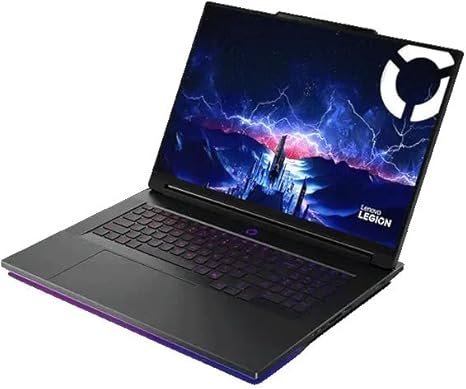
Lenovo Legion 9i Gen 10 18″ Gaming Laptop (2026 Model) Intel Core Ultra 9 275HX 24C, NVIDIA GeForce RTX 5090 24GB, 64GB RAM, 4TB (2TB+2TB) NVMe SSD, 18.0″ 4K 520 nits 240Hz, Windows 11 Pro
The Legion 9i is the most powerful laptop we recommend. It features a beautiful 18-inch 4K plus display. This high resolution makes small text in editing software very easy to read. It also lets you see your 4K footage in full detail. It has four memory slots and four storage slots, which is rare. However, it gets very warm during use. Some editors might find it uncomfortable to rest their hands on the keyboard.
Alienware Area 51 18
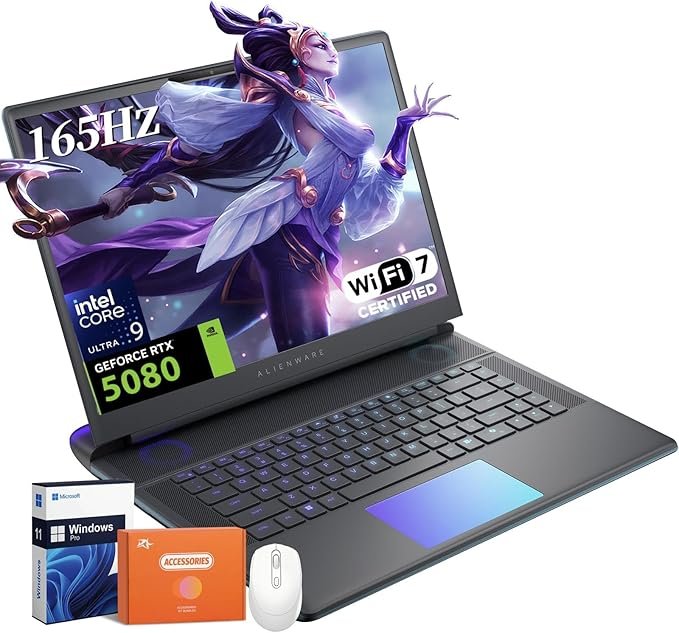
Alienware 18 Area-51 Gaming Laptop, NVIDIA RTX 5080 16GB GDDR7, Intel Ultra 9 275HX(24-Core, Up to 5.4GHz), 18″ 2.5K QHD+ 300Hz, 64 GB DDR5, 2 TB SSD, Backlit Keyboard, Windows 11 Pro, w/Accessories
The Alienware Area 51 18 is one of the coolest-feeling laptops we have tested. It uses a curved front edge so the laptop does not cut into your wrists. You can even get it with a mechanical keyboard. It is much heavier than the Legion 9i, and its screen is not as sharp. But for editors who want a comfortable, cool machine, this is a top choice.
Asus ROG Strix Scar 18
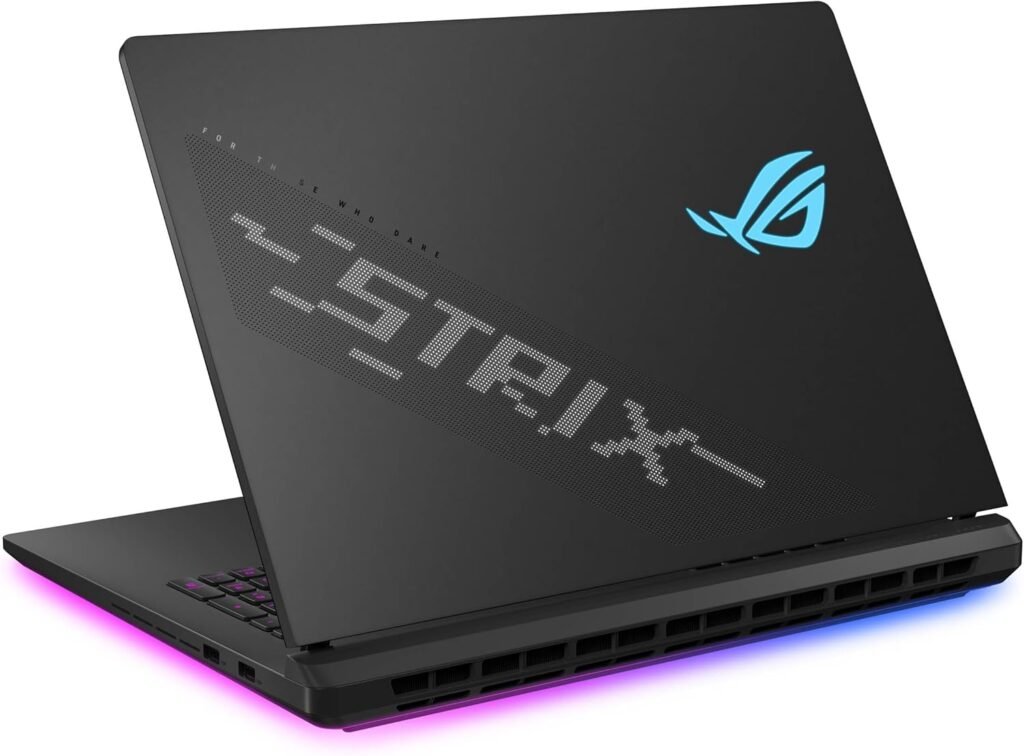
ASUS ROG Strix Scar 18 (2025) Gaming Laptop, 18” ROG Nebula HDR 16:10 2.5K 240Hz/3ms, NVIDIA GeForce RTX 5070 Ti, Intel Core Ultra 9 275HX, 32GB DDR5, 1TB PCIe SSD, Wi-Fi 7, Win 11 Pro, G835LR-XS96
The Scar 18 is a favorite for many editors. It feels cool to the touch and is more portable than the Alienware. It uses a mini-LED panel that looks fantastic. It does not have the curved edge of the Alienware, but it is a great all-around performer for those who need a big screen.
Top 16-Inch Laptops for Portability and Power
Most editors prefer the 16-inch size. It offers a good mix of screen space and portability.
MacBook Pro 16 (M4 Max)
The MacBook Pro 16 is the best overall experience for many editors. It is incredibly powerful but remains quiet and cool. It has the best battery life of any laptop on this list. It is also the only laptop that maintains its full performance when it is not plugged into a wall. If you need to edit on a plane or in a coffee shop, this is the one to get.
Asus ROG Strix Scar 16
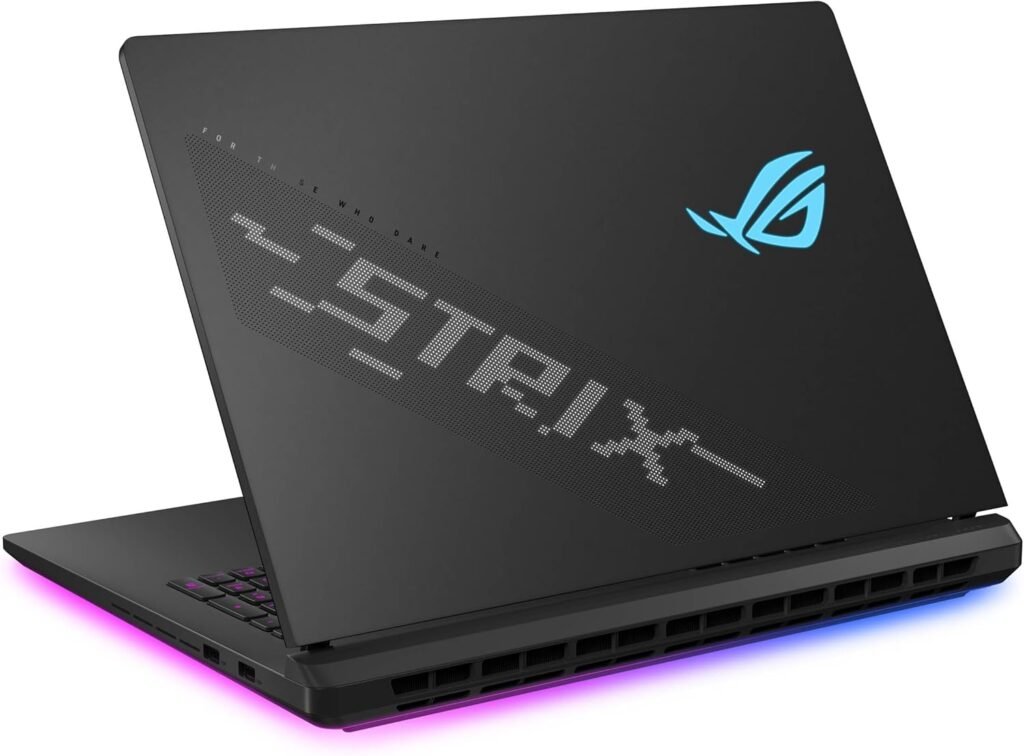
ASUS ROG Strix SCAR 16 (2025) Gaming Laptop, 16” ROG Nebula HDR 16:10 2.5K 240Hz/3ms, NVIDIA GeForce RTX 5080, Intel Core Ultra 9 275HX, 32GB DDR5, 2TB PCIe Gen 4 SSD, Wi-Fi 7, Win 11 Pro, G635LW-XS97
If you prefer Windows, the Scar 16 is a great pick. It stays very quiet and cool for a gaming laptop. It has a stunning mini-LED display. This laptop does not have a number pad. While that might seem like a downside, it actually keeps your hands away from the hottest part of the laptop center.
Asus ProArt P16 and Zephyrus G16
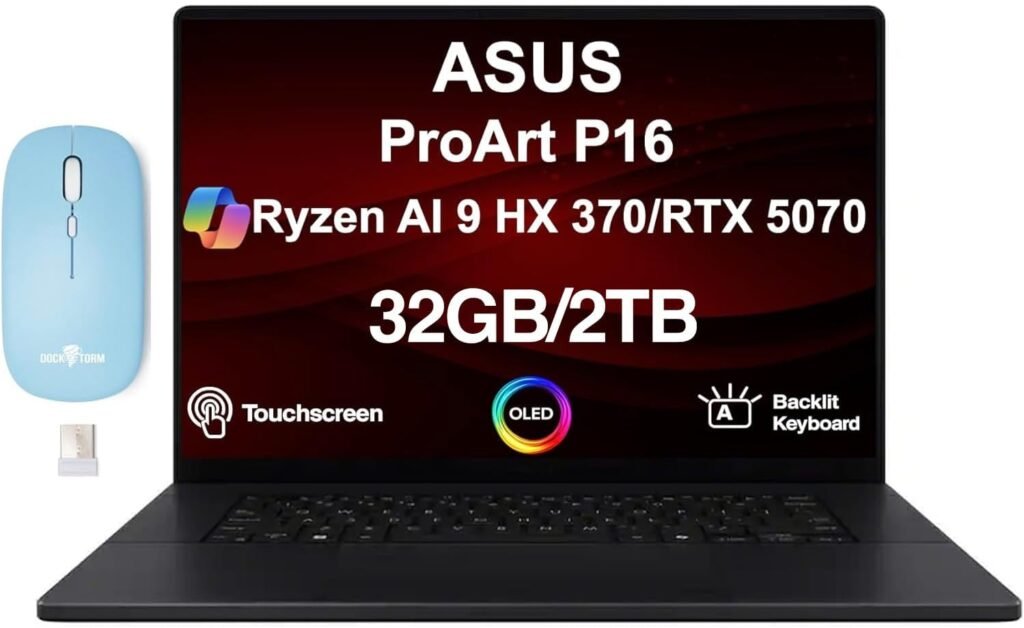
ASUS ProArt P16 Creator Laptop 16.0″ 3K 120Hz OLED Lumina Touch Display (AMD Ryzen AI 9 HX 370, 32GB LPDDR5X, 2TB SSD, GeForce RTX 5070, Backlit KB, WiFi 7, Win 11 Pro) w/Dockztorm Wireless Mouse
The ProArt P16 is built specifically for creators. The 5090 model comes with a 4K OLED display and 64GB of RAM. It is thin, light, and does not get too loud. The Zephyrus G16 is the gamer version of this laptop. It has a lower resolution screen but offers more GPU options. Choose the ProArt if you focus on work, and the Zephyrus if you want to play games too.
Razer Blade 16
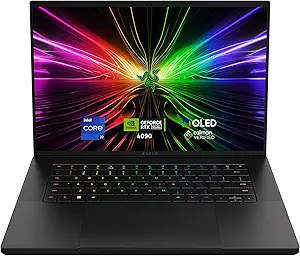
Razer Blade 16 Gaming Laptop: NVIDIA GeForce RTX 4090 – Intel Core i9-14900HX 14th Gen CPU – 16″ OLED QHD+ 240Hz Display – 32GB RAM – 2TB SSD – Windows 11 – Chroma RGB – Snap Tap
The Blade 16 is a premium laptop with a great OLED screen. It feels very high quality and looks professional. We have edited many of our videos on this machine. However, Razer laptops can have small issues, like not sleeping correctly when you close the lid. Their customer support can also be difficult to deal with. Buy this one if you want the best-looking Windows laptop, but be aware of the risks.
Best Value and Mid-Range Options
You do not have to spend a fortune to get a good editing machine. These laptops offer great performance for a lower price.
- Asus Strix G16: This is the budget version of the Scar. It is not as premium, but it still feels cool to the touch and performs very well with an RTX 5070 Ti.
- Lenovo Legion 7i: This is a personal favorite. It has a bright OLED display and the best keyboard we have ever used on a laptop. It is a great choice for mid-range editing.
The Best Portable 14-Inch Laptop
If you want the smallest laptop possible without losing too much power, there is only one real choice.
MacBook Pro 14
The MacBook Pro 14 offers almost all the benefits of the 16-inch version. It has a great screen, excellent ports, and amazing battery life. If you get the highest-end chips, it might run a little slower than the 16-inch model because it has less room for cooling. For most editors, the M4 Pro model is the best value. It is powerful enough for most tasks and comes with plenty of memory.
Which Laptop Should You Choose?
Finding the right laptop depends on your needs. If you want the most power and a giant screen, look at the Lenovo Legion 9i or the Alienware Area 51 18. If you value battery life and a silent working environment, the MacBook Pro 16 is the clear winner. For those on a tighter budget, the Asus Strix G16 or Lenovo Legion 7i provides excellent value.
You can find current deals and updated recommendations at Best Laptop Deals. We update our lists as soon as new hardware arrives to make sure you always have the best information.
Final Thoughts on Hardware
No matter which laptop you pick, remember that video editing is demanding. Always prioritize a good GPU and at least 32GB of RAM. If you can afford an OLED or mini-LED screen, your eyes will thank you during those long editing sessions. Good luck with your next project, and make sure your hardware can keep up with your creativity.